macOS
DMG installers for Apple Silicon and Intel Macs.

Use the complete Managani workspace in a dedicated desktop window, or handle customer chat, feedback, search, and notifications from your phone.
Desktop wraps the complete Managani web application in a native shell. Keep customer work away from a crowded browser while retaining the same sites, permissions, automations, and data.

Choose the build that matches your operating system and processor. These are direct Managani downloads.
DMG installers for Apple Silicon and Intel Macs.
Install or run a portable build on x64 and ARM64 PCs.
AppImage, DEB, and RPM packages for 64-bit Linux.
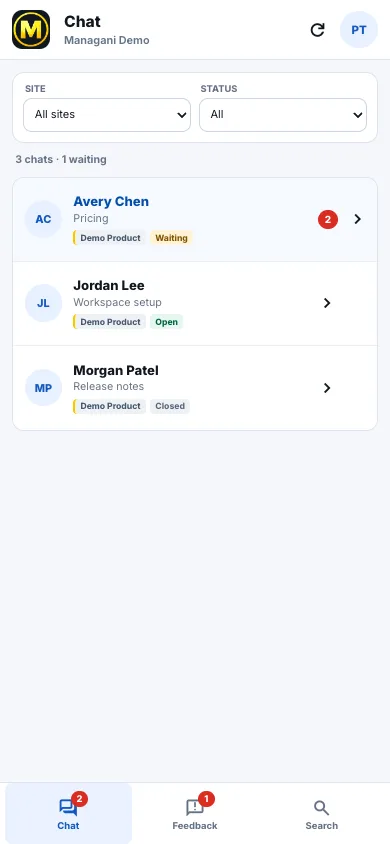
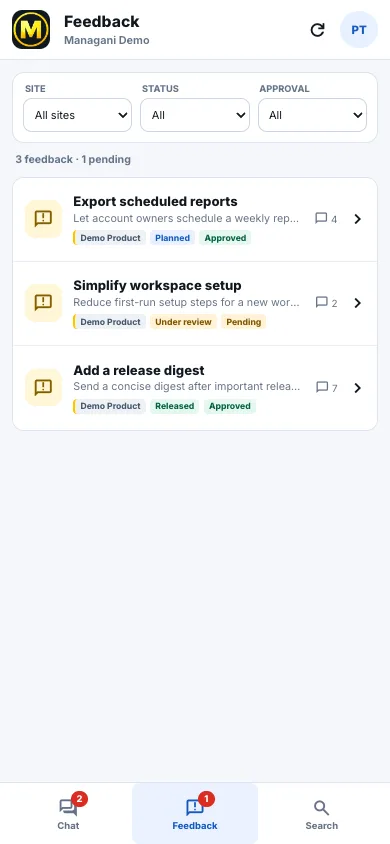
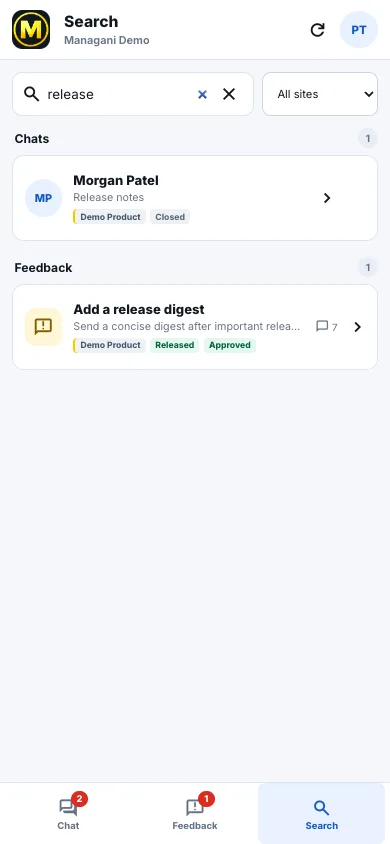
Use the focused mobile workflow for the customer conversations and feedback that cannot wait for a desk. The app works with existing Managani accounts on iPhone, iPad, and Android.
Review, reply, search, and receive device notifications.
Use the same focused Chat, Feedback, and Search workflow.
Sign in to Managani, then use the mobile apps link in the navigation to download the app for your device.
Read the Mobile documentation →Desktop uses the complete web application. Mobile concentrates on Chat, Feedback, Search, and push notifications. Both connect to the same account, sites, customer identities, assignments, statuses, and realtime updates.
The mobile app is not a miniature copy of every administration screen. Use Desktop or the browser for configuration-heavy work such as building tours, editing automation rules, reviewing analytics, or setting up integrations. Use mobile when the job is reading, deciding, replying, assigning, changing status, or finding the customer context behind a request.