Trello Roadmap Planning: When a Board Is Enough for SaaS Teams

A Trello roadmap can answer a useful internal question: "What are we considering, working on, and finishing?" Create a few lists, give each initiative a card, and the team has a shared view without setting up a dedicated roadmap tool.
The harder question comes later. A customer asks why an item was prioritized. Another wants to know when it ships. After release, someone needs to tell the people who requested it and check whether they use it. A card can hold links and notes for all of that, but the team still has to maintain the connections.
Trello is good for roadmap planning when the roadmap is a small team's internal coordination board. It becomes less suitable as the main product roadmap when planning also needs traceable customer feedback, a distinct customer-facing view, release communication, and adoption follow-up.
Is Trello good for roadmap planning?
Yes, within a clear scope. Trello's board-and-card structure makes it easy to see work move through stages. A founder or small product team can use it to discuss priorities, assign an owner, collect notes, and keep a short list of current initiatives visible.
That does not automatically make every Trello board a product roadmap. A delivery board tracks tasks. A roadmap explains product direction: what problem the team intends to address, why it matters, how certain the plan is, and what people should expect. If every card says "Build settings page" or "Fix export," the board shows activity but little reasoning.
A Trello roadmap works better when each card represents an outcome or meaningful product change, rather than every implementation task. For example, "Help administrators complete account setup without support" gives a product team more to discuss than "Add three setup screens." The engineering tasks can live elsewhere or be linked from that card.
If you are deciding what a roadmap should communicate before choosing a tool, see these product roadmap examples for different audiences.
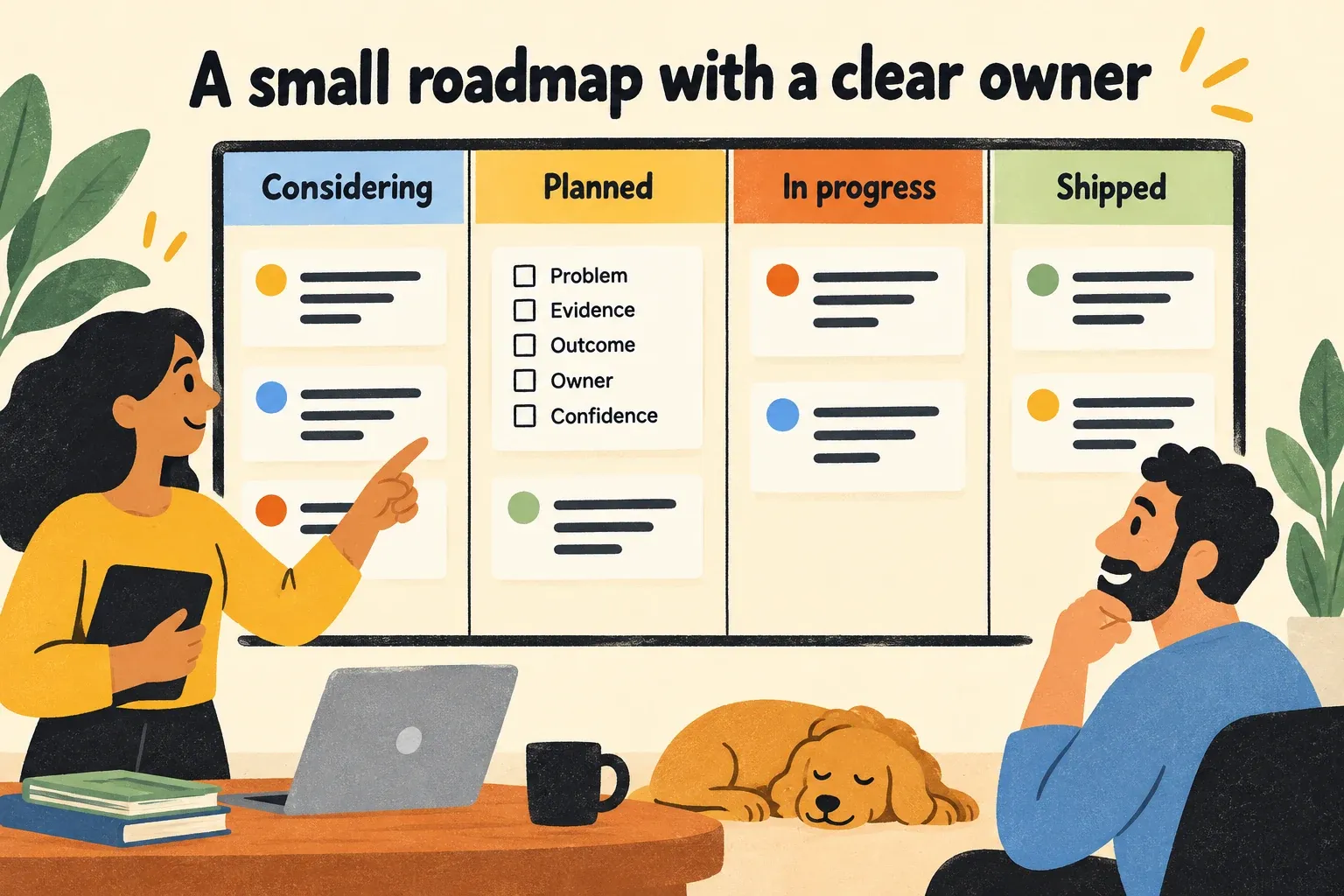
How to make a Trello roadmap useful
Keep the board small enough that someone can understand it in a few minutes. One workable internal setup is:
- Considering: Problems and opportunities worth investigating, not promises to build.
- Planned: Work the team has chosen, with an owner and a clear reason.
- In progress: Initiatives being delivered. Link to implementation work rather than copying every task onto the roadmap.
- Shipped: Changes that are available, with a link to the release explanation.
Use card descriptions consistently. Each roadmap card should answer five questions:
- What customer or business problem does this address?
- What evidence supports it? Link to the relevant requests, conversations, or usage findings.
- What outcome would count as progress?
- Who owns the decision and the next update?
- What is the current level of confidence?
Avoid putting an exact date on a card just because a roadmap seems to need one. If timing is uncertain, state the stage of the work and the next decision point instead. That is more useful than a date the team cannot defend.
This setup is deliberately manual. It works if the team has a review rhythm and someone keeps the cards current. Without an owner, even a tidy board becomes an archive of old intentions.
When is Trello enough for roadmap work?
Trello is often enough when all of the following are true:
- The roadmap is mainly for the people making and delivering product decisions.
- The team has relatively few active initiatives.
- Customer requests can be reviewed without losing who asked or why.
- One person can update the board and handle customer follow-up reliably.
- Releases do not require a separate communication process for several audiences.
- The team can check results using its existing analytics or customer conversations.
Consider a founder working with a small engineering team and a handful of customers. The founder knows the people behind most requests, discusses priorities weekly, and personally sends release updates. A Trello board may be the right amount of structure. Moving to a larger system would add work without solving a pressing problem.
The test is not the number of cards. It is whether someone can take a roadmap item and reconstruct its history without asking three colleagues: Who raised the problem, why did we choose this response, what did we tell customers, and did the change help? If those answers are easy to find and maintain, keep the board.
If you use Trello for roadmap tracking, when does it break?
Trello usually becomes difficult as a product roadmap when the work around each card grows faster than the board itself. Watch for these handoffs:
Feedback is copied into cards without customer context. Several customers describe the same problem in support, calls, and an in-app widget. A Trello card says "Improve exports," but does not show which customers are affected or what they were trying to do. The team can move the card to "Planned," yet still struggle to explain the priority or contact requesters later.
The internal board becomes a customer-facing promise. Internal cards may contain tentative solutions, technical notes, or dates that are useful for planning but misleading outside the team. Maintaining a second, public version means someone must keep both views aligned.
"Shipped" ends the workflow too early. Moving a card to "Done" tells the team that delivery happened. It does not tell customers what changed, guide them to the new workflow, or show whether the intended audience adopted it.
Status updates depend on memory. If the person who owns the board also remembers every request and sends every follow-up, the process may work until that person is unavailable or the volume increases.
None of these are failures of a task board. Trello can hold notes, links, and integrations, and a disciplined team can build a process around it. The question is whether maintaining that process is still simpler than using a system designed to connect feedback, roadmap decisions, and what happens after release.
Trello board vs. a connected product roadmap
| Roadmap job | Trello as an internal board | A connected product roadmap |
|---|---|---|
| Show current direction | Organize initiative cards into stages | Show roadmap status alongside the reason for the work |
| Preserve customer evidence | Add links and context to cards manually | Keep requests and the customers behind them connected to planning |
| Communicate with customers | Prepare and maintain a separate view or update | Use a customer-facing roadmap view with appropriate detail |
| Announce a release | Write and distribute an update through another process | Carry the change into release communication |
| Check the outcome | Look up usage and feedback separately | Review adoption signals in the context of the original decision |
Managani's product roadmap is built for the connected-roadmap column's broader job: keeping evidence with the plan while showing customers an appropriate view of what is under review, planned, moving, or shipped. Its product feedback workflow retains the requests and customers behind an initiative, rather than treating the roadmap item as an isolated card. After delivery, the changelog can explain what changed and guide affected users toward the first useful action.
That does not mean a connected platform should replace every Trello board. A team may still prefer Trello for day-to-day task coordination. The decision here is narrower: should the task board also be the source of truth for product decisions and customer follow-up?
A practical way to decide without rebuilding everything
Pick one recent roadmap item and trace it from request to result. Do not use an idealized example; choose a change that involved real customer feedback and has already shipped.
Find the original requests. Can you tell whether several reports describe the same problem? Can you identify the affected customers without searching through messages? Next, read the roadmap card. Does it record the problem, the decision, and any change in direction? Then find the release update. Did the people who asked hear what happened? Finally, check what you know about use of the shipped change. A view or announcement is not the same as completing the intended task.
If the trail is intact, and maintaining it takes little effort, your Trello roadmap may be enough. If the trail repeatedly disappears at the same handoff, address that handoff first. A missing release update calls for a communication process. Lost customer context calls for better feedback management. Unclear results call for an adoption measure with a defined audience and action.
When several handoffs are breaking at once, compare the cost of repairing them separately with the cost of moving roadmap work into a connected product workspace. Keep the evaluation grounded in one real initiative: follow its request, decision, release, and outcome through each option. The better roadmap setup is the one your team can keep accurate after the planning meeting ends.