Canny Review 2026: Features, Pricing, and Who Should Use It
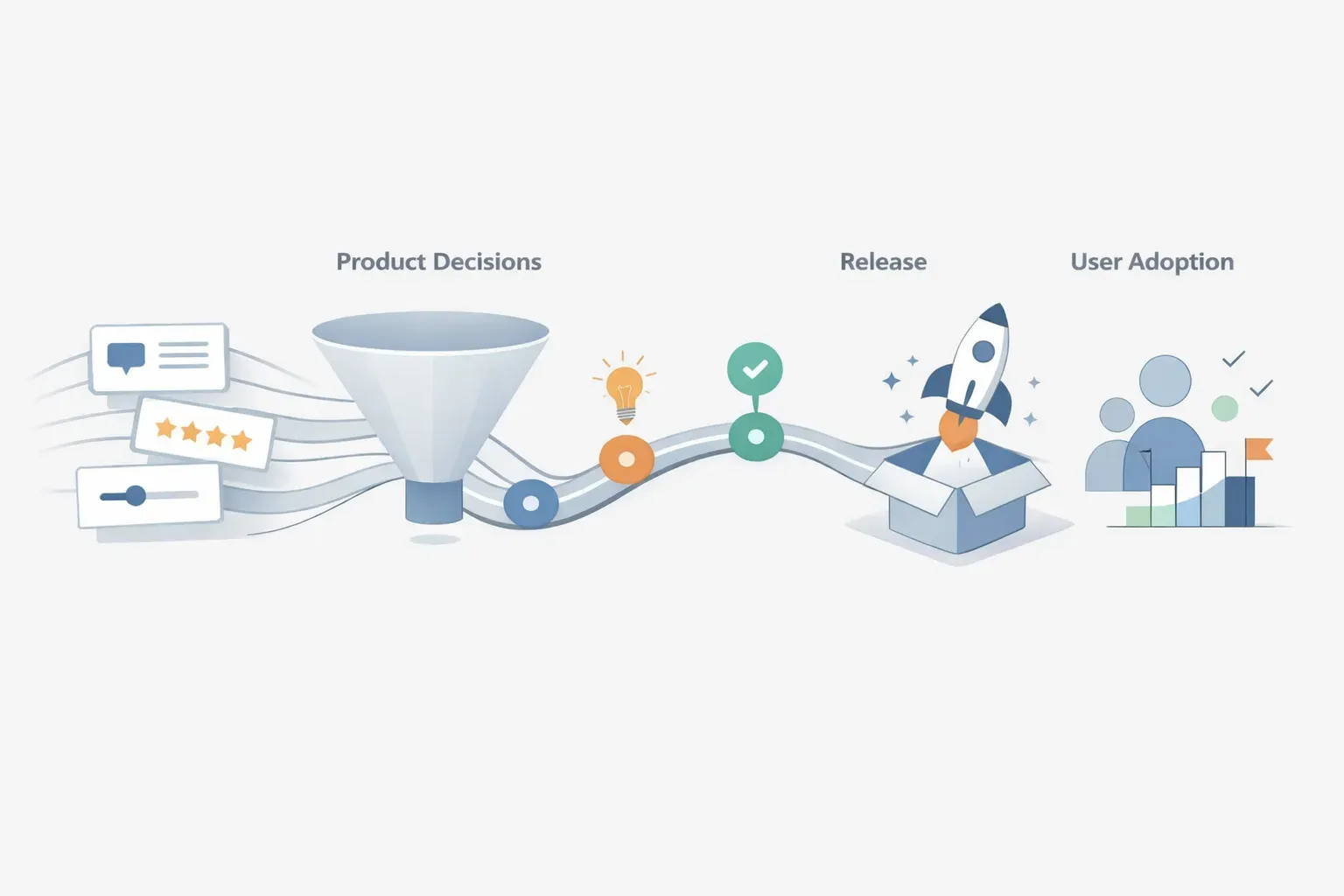
Canny may be a good fit if your main goal is to collect feature requests and let users vote on ideas. It may be more tool than you need if you only want a lightweight place for requests, or not enough if your team needs feedback connected to release communication and product adoption.
This review looks at Canny through those practical questions: what job it serves, who is likely to benefit, what to check before buying, and how to think about pricing. Exact plans and feature limits can change, so verify current details with Canny before making a decision.
What Canny is designed to do
Canny is a customer feedback tool for collecting and managing feature requests. Users can suggest ideas and vote on requests, giving product teams a way to gather and review demand in one place.
That makes it most relevant when requests currently arrive across channels and are difficult to compare. A shared feedback space can help a team see which ideas attract interest and give customers a way to follow or support requests.
However, votes are a signal, not a complete prioritization method. A popular request may not address the highest-impact customer problem, and a valuable need may be reported by only a few accounts. Teams still need to weigh feedback alongside customer context, product strategy, implementation effort, and usage data.
Canny features: what to evaluate
Rather than judging Canny by a feature list alone, test it against the work your team needs to do.
Collecting and organizing requests
Ask how easily customers can submit ideas and how the team can keep similar requests together. Try a few real examples, including requests that describe the same problem in different words. Check whether the tool helps your team retain useful context, such as who raised the issue and what they were trying to accomplish.
Voting and demand signals
Voting can help show that a request matters to more than one person. During evaluation, find out what a vote represents, who is allowed to vote, and how the team can interpret demand across different customer groups.
A high vote count should not automatically decide the roadmap. A request from a small group of high-impact accounts may deserve attention even if it has fewer votes. Consider how your team will combine votes with customer value, strategic fit, and product evidence.
Turning feedback into a decision
A feedback board is useful when it makes review easier, but the team still needs a consistent way to record decisions. Test how product staff move from a request to a decision and communicate what happens next. Ask whether the decision and its reasoning remain visible to the people who submitted or supported the idea.
If those steps happen somewhere else, identify the handoffs. Copying requests and context into a planning tool can be workable, but it adds maintenance and creates opportunities for information to go stale.
Closing the loop after a release
The customer relationship does not end when a feature is shipped. Users may need to know what changed, where to find it, or how to get started. They may also need to tell you whether the change solved the problem.
Check what Canny supports in this part of the workflow and what your team would handle elsewhere. A feedback platform can be a sensible focused tool even if it does not cover every stage. The important thing is to know where the gaps are before committing.
For a broader view of how request capture, decisions, releases, and follow-up fit together, see customer feedback management in one workflow.

Canny pricing: what to check before you buy
A reliable Canny price comparison should use current plan details, not an old pricing summary. Confirm the listed price and billing period directly with Canny, then check what each tier includes and how costs could change as your usage grows.
In particular, verify:
- Which features are included in each plan
- Whether limits apply to users, feedback items, boards, or other usage
- Whether customer-facing features require a higher tier
- Which integrations or administrative controls are included
- Whether the plan is billed monthly or annually
- What happens to your cost if your team or customer base grows
A low starting price does not always mean a low total cost. Compare the plan you would actually need, including any paid capabilities required for your workflow. Also estimate the time spent maintaining connections to your roadmap, changelog, and onboarding tools. Software cost is only one part of the decision.
If you are comparing the category, WishKit's Canny review makes a more focused case for teams that mainly want idea posting and voting. It highlights WishKit's free plan, flat $15-per-month price, native SwiftUI SDK, and quick setup. Those are WishKit's stated comparison points, not a substitute for checking current Canny pricing and terms directly.
Who is Canny best for?
Canny is worth considering if your team wants a dedicated place to collect feature requests, organize them, and let customers signal interest through votes. It can be a reasonable fit when feedback collection is the main problem and your team already has a clear process for prioritization, roadmap planning, release updates, and adoption measurement.
It may be less suitable in these cases:
- You only need a very lightweight idea board. A broader paid setup may be more than the job requires. Compare the simplest option that meets your needs.
- Your team struggles to act on feedback, not just collect it. A request portal will not solve unclear ownership, inconsistent review, or weak prioritization on its own.
- Customer context gets lost after prioritization. Check how easily feedback can be linked to decisions and subsequent customer communication.
- You want to measure whether shipped changes are adopted. Confirm whether the necessary product usage tracking is included or requires another tool.
- You need one connected product-growth workflow. If your team repeatedly copies information between feedback, roadmaps, changelogs, onboarding, messaging, and analytics, compare the cost of those handoffs with a broader platform.
Managani takes the broader-workflow approach: it connects feedback, roadmaps, changelogs, onboarding, in-app messaging, analytics, and adoption tracking. It is not a like-for-like replacement for a focused feedback board in every case. It is more relevant when the challenge is carrying customer context from a request through a product decision and into release follow-up. The guide to Canny alternatives compares options by the broader job they serve.

Canny vs. a broader product workflow
| What your team needs | What to prioritize |
|---|---|
| A place for customers to post and vote on ideas | Feedback collection and voting |
| A repeatable way to compare customer needs | Request context, grouping, and decision records |
| Clear updates when a decision or release changes | Customer-facing status and release communication |
| Evidence that a shipped feature is being used | Product usage and adoption tracking |
| Less copying between tools | Connections between feedback, roadmap, changelog, and follow-up |
The key distinction is scope. Canny is a focused option for feature request collection and management. A broader product-growth workspace is worth evaluating when the work after collecting feedback is also creating friction. For more on that choice, see when a standalone feedback inbox stops being enough.
How to decide whether Canny is worth it
Before choosing a plan, run a small evaluation using real feedback. Take a few requests from different customers and trace what happens to each one:
- Can users submit the request without confusion?
- Can your team group it with related feedback and preserve customer context?
- Can the team record why it was prioritized, deferred, or declined?
- Can customers find out what happened?
- After a release, can the team tell whether the change reached users and helped?
If Canny handles the part of the process your team needs, and the remaining steps already work well elsewhere, a focused tool may be the right choice. If the process breaks at the handoffs, compare the full workflow rather than choosing on voting features alone.
Frequently asked questions
Is Canny mainly for collecting feature requests?
Canny is a customer feedback tool centered on collecting and managing feature requests. Users can post ideas and vote on them. Teams should still decide how they will weigh those signals against customer context, product strategy, and usage evidence.
How much does Canny cost in 2026?
Check Canny's current pricing directly before buying. Prices, plan limits, and included features can change. Compare the tier that supports your actual workflow, not just the lowest advertised starting price.
Is Canny a good fit for a small SaaS team?
It can be if the team needs a dedicated request and voting workflow. If the need is only a simple idea board, a lighter option may be enough. If the team also needs to connect feedback to roadmap decisions, releases, onboarding, and adoption, evaluate the effort and cost of those additional workflows too.
What should I compare when evaluating Canny?
Compare how customers submit and vote on requests, how your team groups and prioritizes them, what each plan includes, and how decisions and releases are communicated. Also check how you will measure whether shipped changes are adopted.