Tracking events that show feature adoption in SaaS

"Tracking events" can mean a lot of things, but for a SaaS product team it should answer one practical question: did users actually use the feature we shipped?
That is different from general website tracking. Website tracking tells you what happened on your site, such as page views, sessions, or referral traffic. Product tracking tells you what happened inside the product after a release, such as whether a user completed the setup step, clicked the new control, returned to the feature, or reached the intended outcome.
For lean teams, that distinction matters. If you only track visits, you can miss the part that decides whether a release worked. If you only track high-level analytics, you can see activity without understanding adoption. Managani is built for the second case: product usage tracking that sits next to feedback, roadmaps, changelogs, onboarding, and in-app messaging, so the team can follow the whole story from request to adoption.
What tracking events mean in a product growth workflow
A tracking event is a recorded product action that shows user behavior at a specific moment. It can be as simple as "clicked invite teammates" or as specific as "completed first report export."
In a product growth workflow, tracking events are useful when they map to one of three stages:
- Activation: the user reaches the first moment of value
- Adoption: the user starts using the shipped feature in real work
- Retention: the user comes back and uses it again
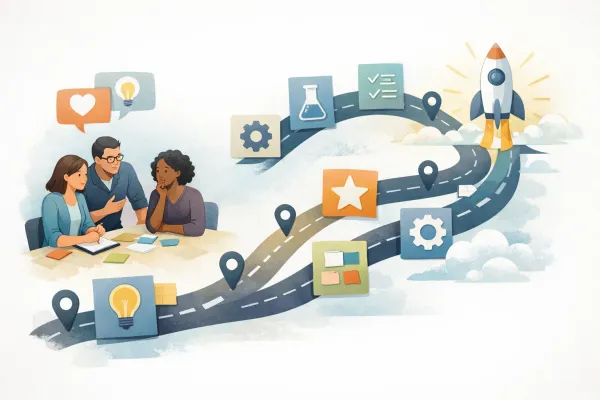
That is why Managani treats tracking as part of the product loop, not as a separate analytics silo. A feature request becomes a roadmap decision, a shipped update becomes a changelog entry, onboarding guides the user to the new behavior, and tracking shows whether the behavior happened.
If you want the broader workflow that connects these pieces, see customer feedback management in one workflow and growth loops without tool sprawl.
Website tracking vs product tracking
The phrases "website tracking," "website tracker," and "web tracking" are often used for traffic and acquisition analytics. That is useful, but it is not the same job as product tracking.
| Tracking type | What it measures | Typical questions it answers |
|---|---|---|
| Website tracking | Page visits, sources, sessions, landing-page behavior | Where did visitors come from? Which pages got traffic? |
| Product tracking | In-app actions, feature use, setup completion, adoption events | Did the user use the feature? Did they finish the workflow? Did the change stick? |
| Engagement tracking | Mix of product and behavior data | Are users returning, clicking, or progressing through a flow? |
For SaaS teams, website analytics usually help at the top of the funnel. Product tracking helps after the signup, when the team needs to know whether the shipped experience changed behavior.
That is why a good "website tracker" may still be the wrong tool if the real question is feature adoption. If the team shipped a new workflow but cannot see whether users completed it, the issue is not traffic. It is missing product usage data.
The events that matter after a feature ships
The best tracking setup does not record everything. It records the events that explain adoption.
A useful starting set usually looks like this:
1. Activation events
These are the first actions that show a new user is getting value.
Examples:
- Created the first project
- Connected the first account
- Added the first teammate
- Finished the first setup step
- Opened the new feature from the dashboard
- Completed the first guided task
Activation events are important because they show whether onboarding is helping. In Managani, onboarding is designed to guide the first-run moment, and tracking confirms whether users reached that first value point.
See SaaS onboarding guidance and turn shipped work into a change users can adopt.
2. Feature-use events
These are the actions that prove the shipped feature is being used in practice.
Examples:
- Clicked "Create roadmap item"
- Published a changelog post
- Sent an in-app message
- Opened a feedback request from a widget
- Saved a survey response
- Filtered product feedback by status
- Returned to the feature in a later session
These events matter because they show whether people only noticed the feature or actually adopted it.
3. Success events
These are outcome events that mark the intended result of the workflow.
Examples:
- Completed the workflow without dropping off
- Reached the "done" state
- Triggered the final confirmation
- Shared the output with a teammate
- Reused the feature after the first run
Success events are the clearest signal for adoption because they describe completion, not just clicks.
4. Repeat-use events
These show whether the feature became part of normal behavior.
Examples:
- Used the feature twice in a week
- Reopened the workflow after the initial setup
- Returned after a changelog announcement
- Acted on a reminder sent through in-app messaging
- Repeated the same key action in a later session
Repeat use is what separates curiosity from adoption.

How to choose events for a shipped feature
You do not need dozens of events to prove adoption. You need a small set that matches the product story.
Use this filter:
- Start with the user outcome: What should the user be able to do after the release?
- Find the first value moment: What is the earliest action that shows progress?
- Add the main feature action: What is the behavior the feature exists to enable?
- Add the success state: What should count as completion?
- Add the repeat signal: What shows the feature has become habit?
For example, if you shipped a new feedback workflow, your events might include:
- Opened the feedback widget
- Submitted a feature request
- Tagged or categorized the request
- Viewed the roadmap status
- Opened the changelog update after release
- Reused the workflow later
That set tells you much more than a generic "page visited" metric.
If you need a place to capture the request before the user reaches the product, the feedback widget keeps the context attached to the request itself.
Tracking events that show whether users adopted the shipped feature
This is the most useful way to think about product tracking in Managani.
Instead of asking "How many events fired?", ask:
- Did the user see the feature?
- Did they try it?
- Did they finish the workflow?
- Did they come back?
- Did the shipped change reduce friction or create more of it?
That approach makes tracking directly useful for product decisions.
Managani supports that workflow because it combines product analytics with in-app messaging, product feedback, roadmaps, and changelog updates. That means the team can connect the release to the response, instead of guessing from traffic alone.
A practical adoption sequence might look like this:
- A customer asks for a feature
- The team ships it
- A changelog post announces the change
- An in-app message points users to the new workflow
- Product tracking records whether they opened, used, and completed it
- Feedback and usage data inform the next improvement
That is the difference between measuring activity and measuring adoption.
Examples of useful tracking events
Here are event examples that make sense for a connected product growth workflow:
Onboarding and activation
signup_completedworkspace_createdfirst_task_completedsetup_flow_finishedfirst_value_reached
Feature adoption
feature_openedfeature_usedfeature_completedfeature_used_againfeature_shared
Guidance and messaging
in_app_message_viewedin_app_message_clickedtour_startedtour_finishedsurvey_submitted
Release follow-up
changelog_openedannouncement_clickedroadmap_item_followedfeedback_reopenedrequest_closed_looped
Not every team will use these exact names, but the structure is useful. The best event names are simple, action-based, and easy to connect to a product outcome.

How product tracking supports better decisions
Tracking events do not just report on behavior. They help the team decide what to do next.
If adoption is low
The feature may be hard to find, unclear, or too buried in the workflow. That is where onboarding and in-app messaging can help.
If users start the flow but do not finish
There may be friction at a specific step. That is where event sequencing matters. You can see where users drop off and adjust the path.
If users complete the flow once but do not return
The feature may solve a one-time problem, or the value may not be strong enough to become a habit. That is where follow-up messaging, copy changes, or workflow simplification may help.
If the feature is used by one segment but not another
The rollout may need segmentation. Some users may need a different prompt, a different default, or a different explanation of value.
If feedback and usage disagree
That is one of the most important signals you can get. Users may ask for a feature, but not adopt it. Or they may adopt a feature without leaving much feedback. In both cases, you need the full product story, not a single metric.
What a lean SaaS team should track first
If you are starting from zero, keep the list small.
Track these first:
- First activation step
- First use of the shipped feature
- Completion of the main workflow
- Repeat use within a short window
- Response to the changelog or in-app prompt
That is enough to answer the questions most teams actually need:
- Did people notice it?
- Did they try it?
- Did it help?
- Did it stick?
Once those basics are working, you can add more detailed usage events. But the early goal is clarity, not volume.
The bottom line
Tracking events are only useful when they explain user behavior after a ship. For product teams, that means tracking the actions that show activation, adoption, and repeat use, not just website traffic.
Managani treats tracking as part of the full product growth loop. Feedback tells you what to build. Roadmaps help you decide. Changelogs announce the release. Onboarding and in-app messaging guide the user. Tracking shows whether the shipped feature changed behavior.
If you are trying to separate product tracking from general web tracking, this is the simplest test: website tracking tells you who came to the product. Product tracking tells you whether they adopted what you shipped.
Frequently Asked Questions
What is the difference between website tracking and product tracking?
Website tracking measures visits and page behavior, while product tracking measures in-app actions and feature use. Website tracking helps with acquisition and traffic analysis. Product tracking helps you see whether users adopted a shipped feature or completed a core workflow.
What events should I track after shipping a feature?
Track the first value action, the main feature action, the completion event, and the repeat-use event. That combination shows whether users noticed the feature, used it, finished the workflow, and came back.
Why does feature adoption tracking matter?
Feature adoption tracking tells you whether a release actually changed user behavior. Without it, a team may know that a feature shipped, but not whether users understood it, tried it, or kept using it.
Is product analytics the same as website analytics?
No. Product analytics focuses on what users do inside the product. Website analytics focuses on pages, sessions, and sources. Both are useful, but they answer different questions.
How does tracking fit into Managani?
In Managani, tracking works alongside feedback, onboarding, changelogs, in-app messaging, and product analytics. That lets a team connect a request to a release and then measure whether the shipped change was adopted.